
An oversize permit app for the permits already in your cab.
Scan the QR code on your state permit and Route Pilot Pro pulls out the route, load dimensions, valid dates, escorts and restrictions. Every permit you scan stays in one list, ready to open and drive.


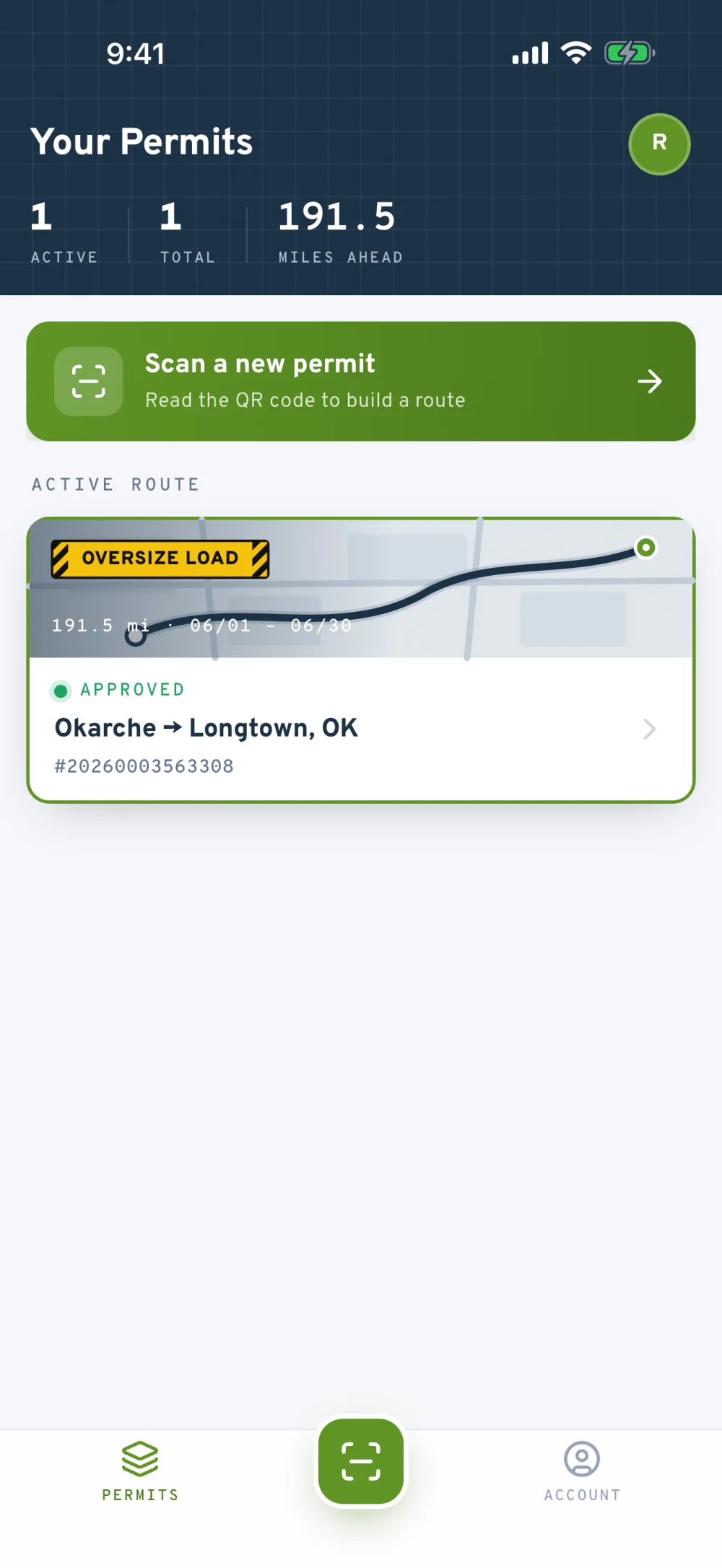
Search for an oversize permit app and you find three kinds of tool. State permit systems take your application and issue the permit. Permit services order permits on your behalf and send them to you. A third group works with the permit once you hold it, so you can follow its route on the road. Route Pilot Pro belongs to that third group. It reads the permit the state issued, keeps it with your other permits and turns its route into turn-by-turn navigation.
Getting the permit is a job for the state
You order an oversize or overweight permit from the state you travel through, through its permit office or online system. Each state sets its own process and fees, and FHWA notes that permits are “a State option.” The post on where to apply for an oversize permit lists the official office and online system for 14 states. The step-by-step guide to getting your own oversize permit covers what to have ready, and how oversize permit fees work explains how states price them. Each state page shows the source Route Pilot Pro uses to check routes there.
Scanning a permit into the app
Tap the scan card on your permits screen. The first time, the app asks for camera access, and it uses the camera only to read permit QR codes. Hold your phone over the QR code until it sits inside the frame. The torch button in the top corner lights the code in a dark cab.
The app shows each step as it works: “Reading permit”, “Finding your permitted route”, “Checking the road network”. When you see a “Permit verified” card with your permit number, the permit opens. If the QR code does not read, has expired, or the state’s permit server does not respond, open the emailed permit PDF from the scanner instead. You never type in a route or a permit number. More on the permit scan page.
What the app reads from your permit
A permit packs a lot onto a few pages. Route Pilot Pro lays it out in one screen:
- Route miles, turns and estimated hours for the trip.
- The permit number, issuing authority and valid dates.
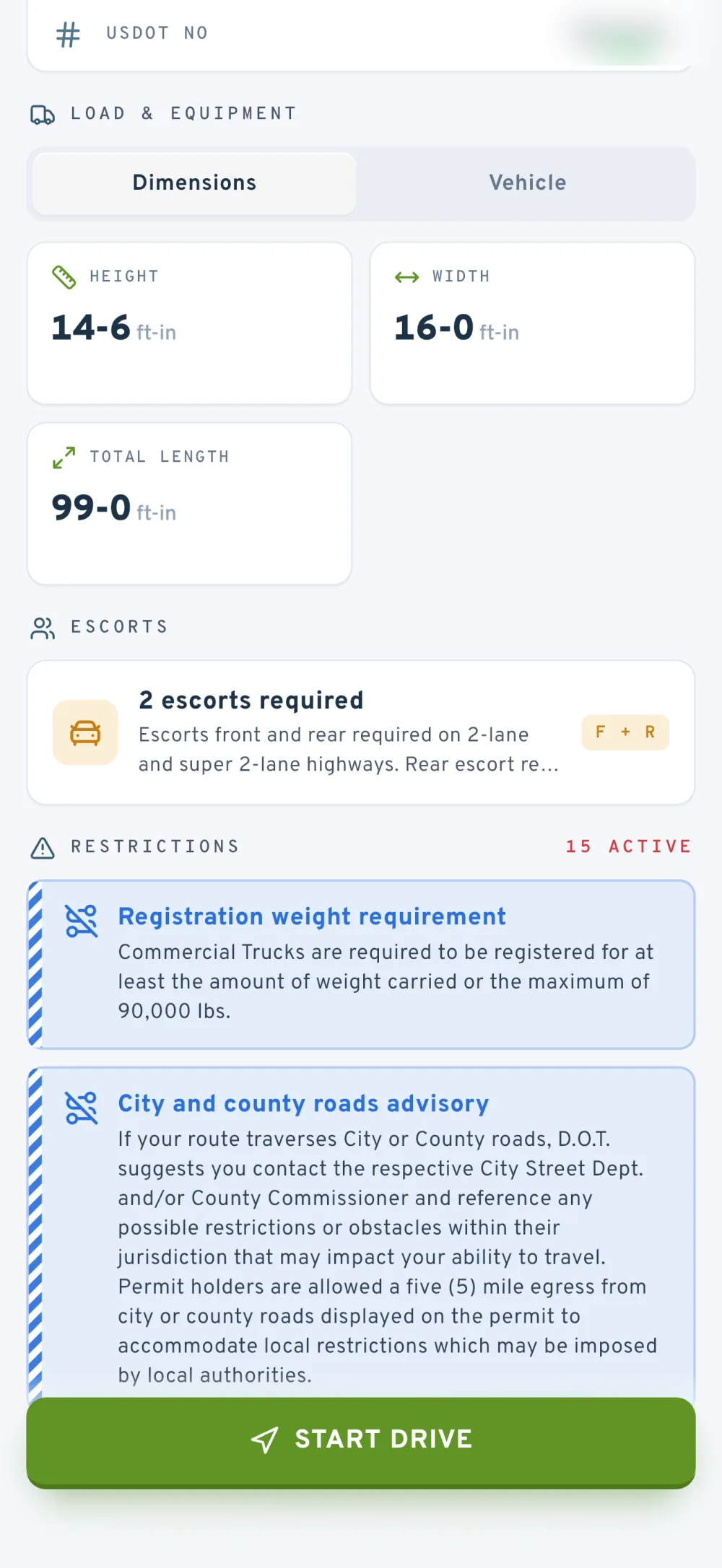
- Load height, width and total length, and the truck details.
- An Escorts section with the number of escorts the permit requires, front and rear.
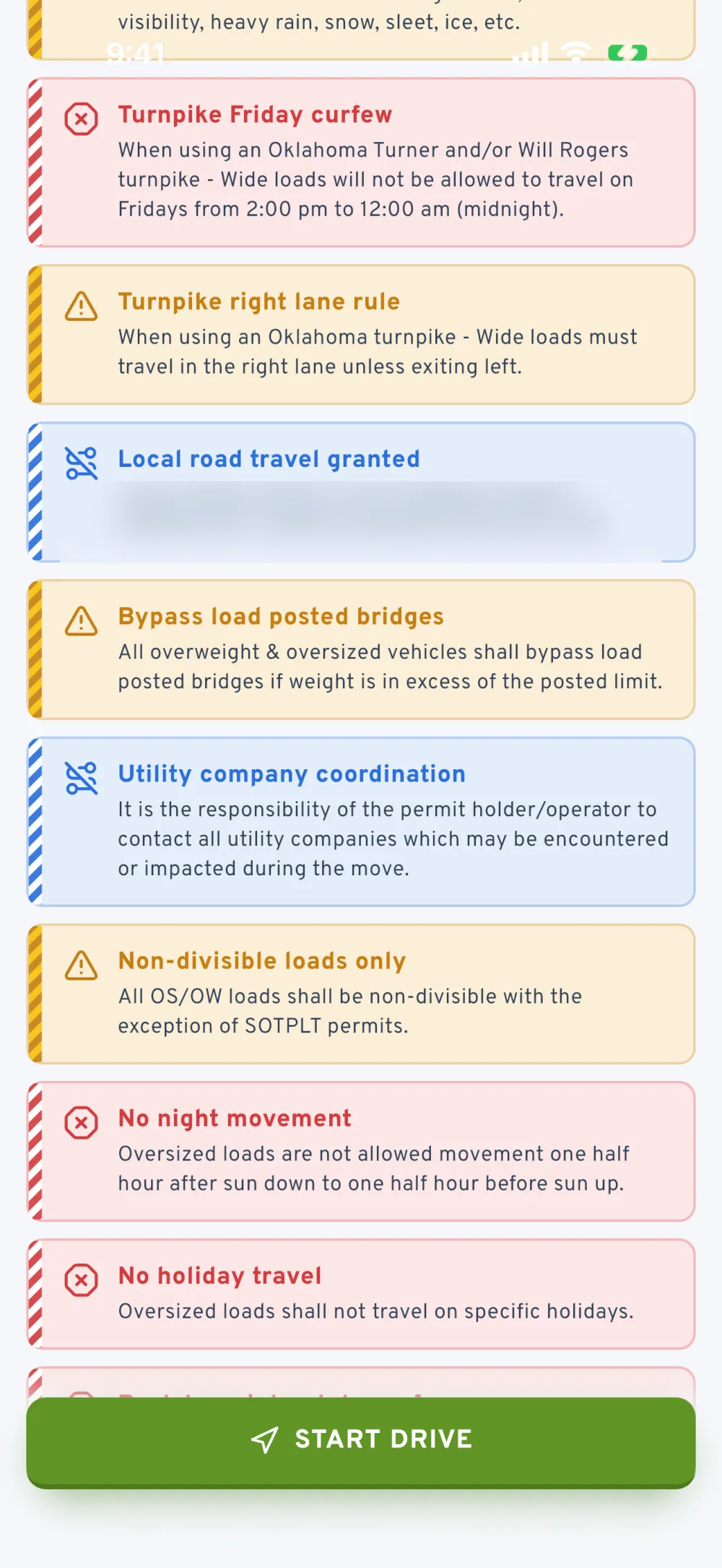
- A Restrictions section with a count, such as “2 ACTIVE”, and one card per restriction with its title and the permit text.
Restriction cards come in three levels: danger, warning and info. The app shows only what it read from the permit and does not add rules the permit leaves out. If you want to check the app against the paper, the guide on how to read an oversize permit shows where each item sits. See restriction placards for how the cards appear during a drive.
Every permit in one list
The permit file holds every permit you scan or import. A strip at the top shows your active permits, total permits and miles ahead. Active permits sit under “Active Route” with a map preview. Completed, expired and pending permits sit under “History”. A badge on each row reads Approved, Completed, Expired, Pending or Needs Review. Pull down to refresh, and swipe a permit to the left to delete it after you confirm. You can scan it again later.
When you reach the end of a drive, the arrival screen offers Close Out Permit. That marks the permit completed and moves it to History, so your active list only shows the moves still ahead of you.
Single-trip, annual and blanket permits
A single-trip permit authorizes one move over the route the state lists, and that is the route the app draws and guides you along. Annual and blanket permits cover repeat moves for a set period, and many carry no fixed route. When a permit has no fixed route, the permit screen says so and tells you to follow the permit conditions. The comparison of single-trip vs annual oversize permits explains when each type makes sense.
The paper permit still rules
An app copy helps you read and follow the permit. It does not replace it. Pennsylvania’s rule requires you to carry the permit in the permitted vehicle, and the printed permit is the legal document. Keep the paper in the cab, read the full conditions on it, and treat the app as the fastest way to find what the permit says while you drive.
Sources
Checked 2026-11-05.
- 67 Pa. Code 179.10: https://www.pacodeandbulletin.gov/Display/pacode?file=/secure/pacode/data/067/chapter179/s179.10.html
- FHWA, Oversize/overweight permits, Federal requirements: https://ops.fhwa.dot.gov/freight/sw/permit_report/index.htm
Real screens from Route Pilot Pro.
-
LoadLoad height, width, length and escorts
-
RestrictionsRestrictions listed from the permit
41 states and 2 provinces covered on official route data.
A state or province counts as covered when live permits there have a route verified on an official source. Each one counts once, under the source most of its permits use. Look up your state before a move.
See every state and province-
State and province road data
29 states and 2 provinces
We build the route on the road data the state or province itself publishes, and match the roads and junctions your permit names on it.
-
State permit portal route
9 states
Some state permit portals publish a route line for each permit. We load that line and run the same checks on it. The app needs the portal link on your permit, or a permit number it can look up.
-
Permit system route data
3 states
Some states issue permits through a system that supplies its own route data. We check your route against that data. This data belongs to the permit system and is separate from the state's own road data.
Common questions.
Can I order an oversize permit in the app?
No. You order permits from the state permit office. Route Pilot Pro reads a permit after the state issues it and turns its route into navigation.
Is the permit scan free?
Yes. Scanning and importing permits are free, so every permit shows up in your list. Opening a route for navigation needs an active subscription.
What if my permit has no QR code?
Open the emailed permit PDF from the scanner or the permits screen. The app reads the PDF and builds the route the same way.
Can I keep permits from several moves?
Yes. Every permit you scan stays in your list until you delete it. Swipe a permit to the left and confirm to remove it.
Keep reading
Scan your next permit and drive the route it approves.
Download Route Pilot Pro on iPhone or Android, scan the QR code on your permit and start the drive.