
Permit file
Every permit you scan lands in one list. Active moves sit on top and finished ones sit below, so a past permit is a tap away.
Every permit you scan in one list, split into active and history, with the details one tap away.
How it works in 4 steps.
- 01
Scan a permit
Each permit you scan or import is saved to your list.
- 02
Find it in the list
Active permits sit under "Active Route" with a map preview. Completed, expired and pending permits sit under "History". A badge on each row shows its status.
- 03
Open the details
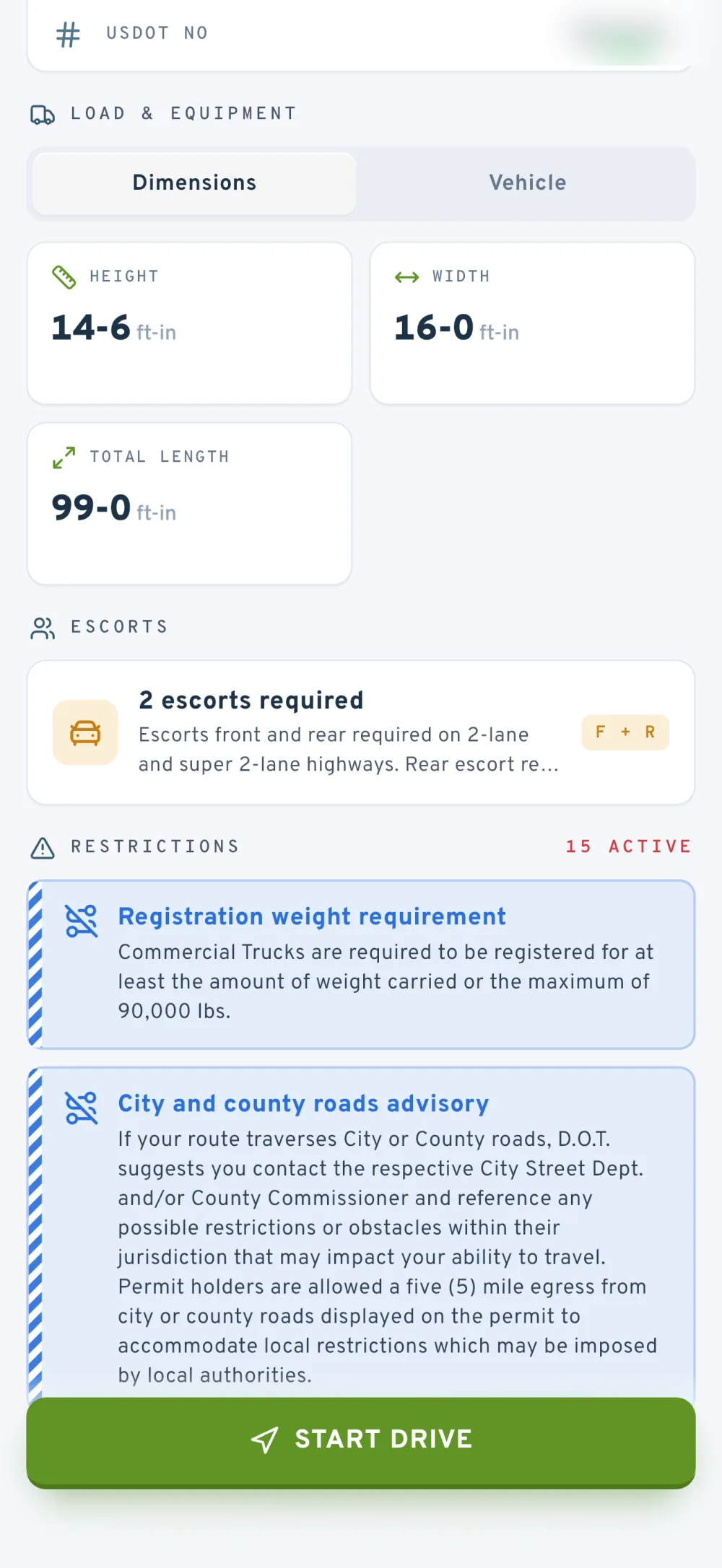
Tap a permit to see its route, permit number, issuing authority, valid dates, load dimensions, truck details, escorts and restrictions.
- 04
Remove one you no longer need
Swipe a permit to the left and confirm to delete it. You can scan it again later.
What you see in the app.

- A strip at the top with your active permits, total permits and miles ahead.
- An Active Route section with map previews, and a History section below it.
- A status badge on each row: Approved, Completed, Expired, Pending or Needs Review.
- A pull-down refresh, and a swipe-to-delete with a confirmation.
- Inside a permit, the load height, width and total length, and an Escorts section.
Questions about permit file.
How does a permit become Completed?
When you reach the end of a drive, the arrival screen offers Close Out Permit. That marks the permit completed and moves it to History.
What happens if I delete a permit?
It leaves your list. You can scan it again anytime.
Can I keep permits for several moves?
Yes. Every permit you scan stays in your list until you delete it.
More from the product
Scan your next permit and drive the route it approves.
Download Route Pilot Pro on iPhone or Android, scan the QR code on your permit and start the drive.