The oversize load navigation app that starts from your permit.
Route Pilot Pro reads your state oversize or overweight permit, draws the route it lists and guides you along it by voice. You drive the roads the state approved for your load, from the first turn to the last.


A general navigation app asks where you want to go and picks a way to get there. An oversize load does not get to pick. Your state permit names the roads you may use, in order, and the state chose them for your load. Route Pilot Pro is an oversize load navigation app built around that fact. It starts from the permit, draws the route the permit lists and guides you along it.
Why an oversize load needs different navigation
A route-specific permit is a list of roads. Pennsylvania’s rule says the permit “shall authorize movement only on the roadway portion of highways specified in the permit.” North Carolina’s handbook says each permit carries requirements and restrictions “customized on each permit document for the load being transported.” A road that carries one load may not carry yours, because of a posted bridge, a low structure or a tight turn the state checked for your dimensions.
Navigation that plans for speed or for legal truck size has no copy of that list. When it reroutes around traffic or prefers a faster road, it can put you on a road your permit never named. The post on why a truck GPS can pull a permitted load off route walks through where the two split.
Three steps from permit to voice guidance
1. Scan the permit. Tap the scan card on your permits screen and hold your phone over the QR code printed on your permit. The app uses the camera only to read permit QR codes, and a torch button lights the code in a dark cab. While it works you see “Reading permit”, then “Finding your permitted route”, then “Checking the road network”. When the card reads “Permit verified”, the permit opens. No QR code? Open the emailed permit PDF instead. See permit scan.
2. Review the route. The permit screen shows route miles, turns and estimated hours, then the permit number, issuing authority, valid dates, load dimensions and escorts. The map marks each stretch “On the permit” or “Check against the permit”, and a bar splits the trip into confirmed miles and miles to check. Read the escorts and restriction cards before you roll.
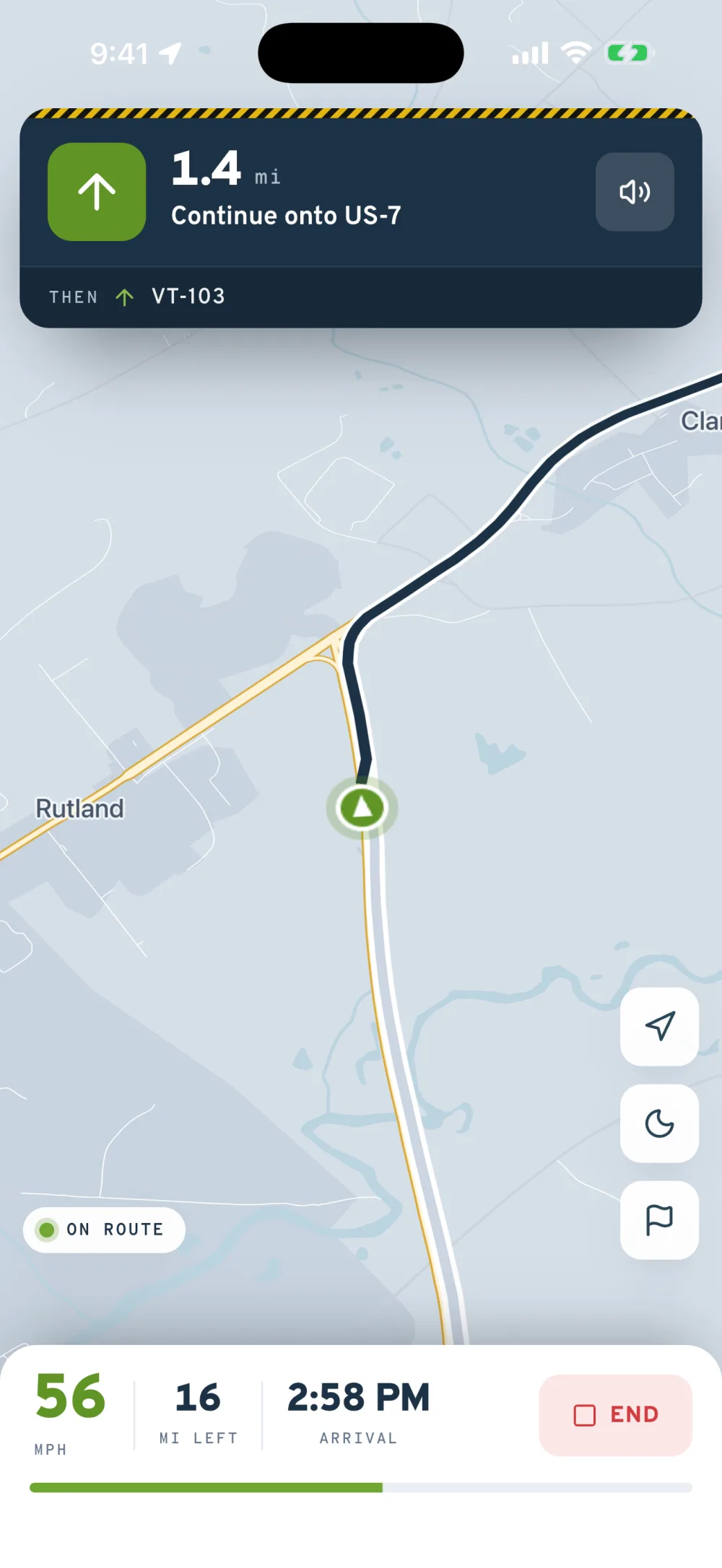
3. Drive it. Tap Start Drive. The banner shows the distance to your next turn, the instruction and the road after it. Your speed, miles left and arrival time sit at the bottom. Voice guidance reads each turn aloud, for example “In 0.3 mi, Turn left onto OK-3”.
What happens when you leave the route
During the drive the app compares your GPS position with the route line stored for your permit. When you are more than 250 meters, about 820 feet, from the line, the turn banner turns red and reads “Off permitted route” with the road to return to. A red tint covers the map, the status pill reads “Off route”, and the app says “You appear to be off route”. The spoken alert repeats at most once every 2 minutes while you stay off. When you rejoin the route, the banner and pill return to normal. Details on the off-route alerts page.
It tells you what it could not confirm
No app matches every permit perfectly, so Route Pilot Pro marks the miles it could not tie to your permit and asks you to follow the written directions there. Stretches on city or county roads are tagged local, because the state does not set a route for them. If the app cannot confirm a route at all, it shows no line and tells you to follow the printed permit. Blanket permits have no fixed route, and the permit screen says so. The verification page lists every check a route must pass before the app marks it verified.
Built for the driver who holds the permit
Owner-operators often carry permits from several states for one move. The permit file keeps every permit you scan in one list, with active permits on top and history below. Each one shows its valid dates, load dimensions, truck details and escorts a tap away. At the end of a drive the arrival screen shows miles driven, drive time and how many times you left the route, and Close Out Permit moves the permit to History.
Coverage depends on the state. In some states the app checks your route on the state’s own road data, and in others against the route the state permit portal or permit system publishes. Look up your state on the states and provinces page before a move, for example Pennsylvania, North Carolina or Oklahoma.
What it leaves to you and the permit
Route Pilot Pro does not issue permits. You order those from the state, and the guide to getting your own oversize permit covers how. The app does not add rules your permit leaves out, and it does not replace the paper. Pennsylvania requires you to carry the permit in the permitted vehicle, and the printed permit is the legal document everywhere. Use the app to follow the permit more closely, and when the two disagree, follow the permit.
Sources
Checked 2026-11-05.
- 67 Pa. Code 179.10: https://www.pacodeandbulletin.gov/Display/pacode?file=/secure/pacode/data/067/chapter179/s179.10.html
- NCDOT, Oversize/Overweight Permit Handbook: https://connect.ncdot.gov/business/trucking/Documents/Oversize%20Overweight%20Permit%20Handbook.pdf
Real screens from Route Pilot Pro.
-
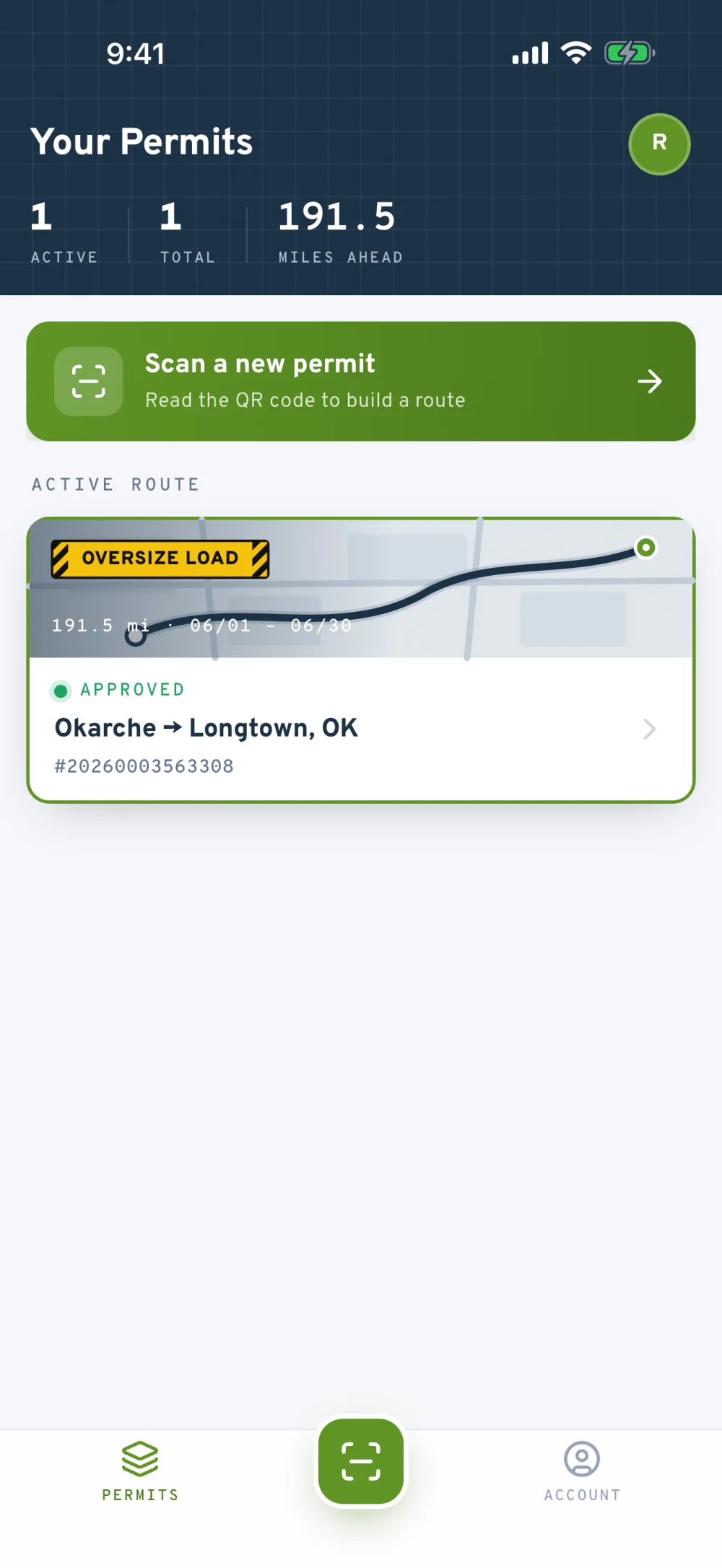
PermitsYour permits and the active route
-
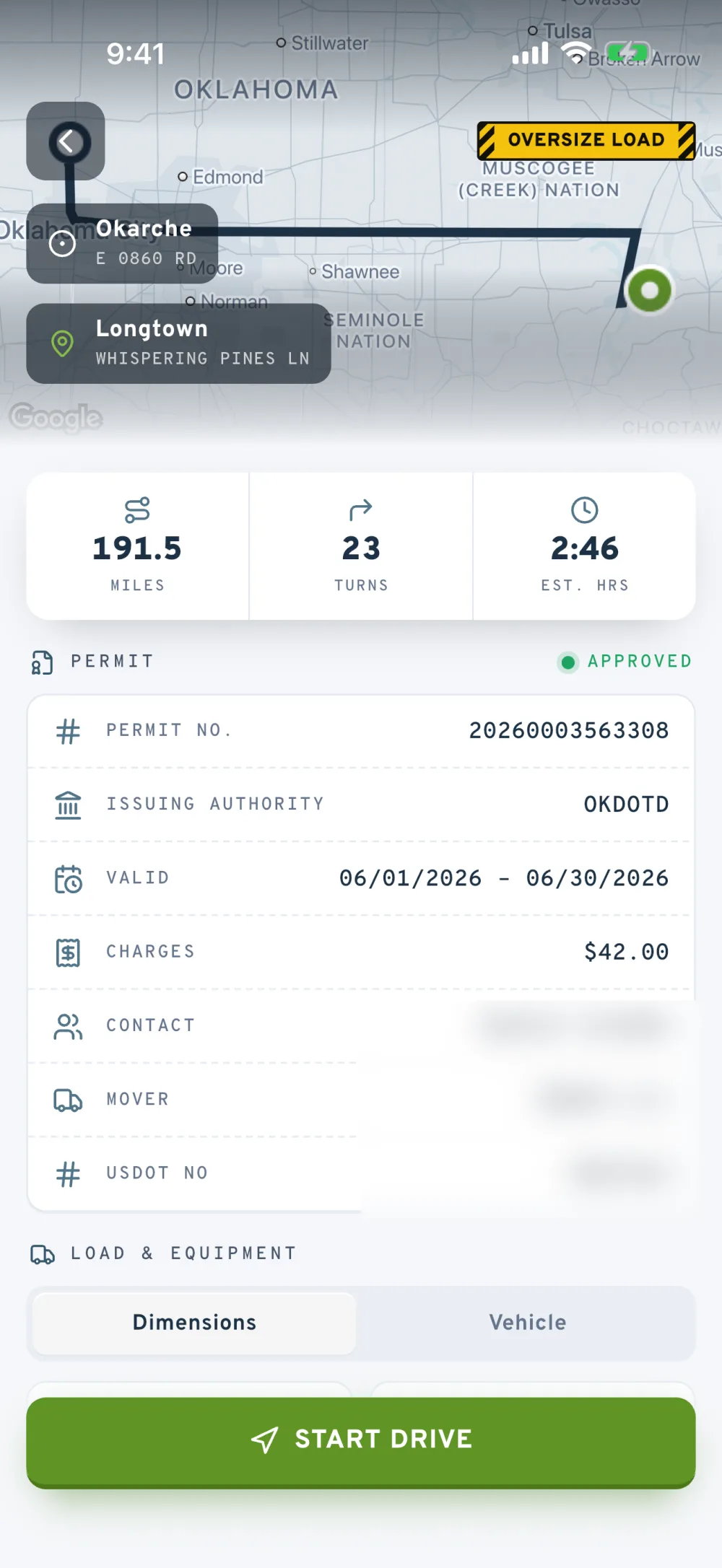
ReviewRoute review: 191.5 miles, 23 turns, 2:46 estimated hours
-
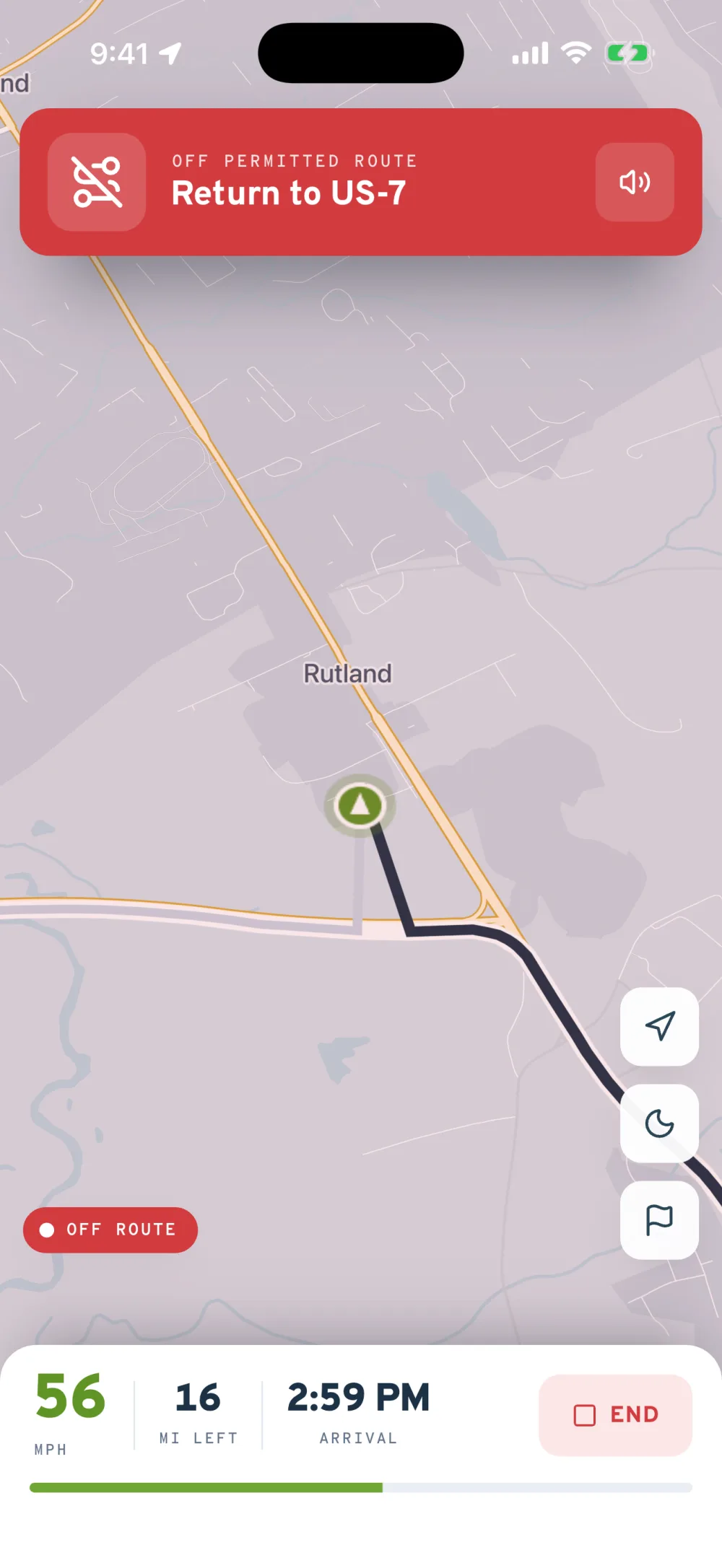
Off routeA red banner when you leave the route
41 states and 2 provinces covered on official route data.
A state or province counts as covered when live permits there have a route verified on an official source. Each one counts once, under the source most of its permits use. Look up your state before a move.
See every state and province-
State and province road data
29 states and 2 provinces
We build the route on the road data the state or province itself publishes, and match the roads and junctions your permit names on it.
-
State permit portal route
9 states
Some state permit portals publish a route line for each permit. We load that line and run the same checks on it. The app needs the portal link on your permit, or a permit number it can look up.
-
Permit system route data
3 states
Some states issue permits through a system that supplies its own route data. We check your route against that data. This data belongs to the permit system and is separate from the state's own road data.
Common questions.
Is Route Pilot Pro a truck GPS?
It is a navigation app for permitted loads. A truck GPS plans its own route from map data and your truck profile. Route Pilot Pro builds the route from your permit and guides you along the roads it lists.
Does the app work on iPhone and Android?
Yes. Download Route Pilot Pro from the App Store or Google Play. Scanning a permit is free, and opening the route for navigation needs an active subscription.
What if the app cannot build a route for my permit?
It shows no line and tells you to follow the printed permit. It does not swap in a general route.
Does the app tell me where to apply for a permit?
The app works with permits you already hold. To order one, use your state's permit office. The blog post on where to apply lists official permit systems for 14 states.
Keep reading
Scan your next permit and drive the route it approves.
Download Route Pilot Pro on iPhone or Android, scan the QR code on your permit and start the drive.