
Voice guidance
Route Pilot Pro reads each instruction aloud as you approach the turn. You hear “In 0.3 mi, Turn left onto OK-3” and keep both eyes on the road.
Each turn spoken aloud as you approach it, so your eyes stay on the road.
How it works in 4 steps.
- 01
Start a drive
Voice is on by default. The app uses the best English (US) voice installed on your phone.
- 02
Hear the turn coming
As you approach a turn, the app speaks it with the distance, for example "In 0.3 mi, Turn left onto OK-3".
- 03
Hear the arrival
At the end of the route, the app says "You have arrived at your destination".
- 04
Mute when you want quiet
Tap the speaker button on the turn banner to mute or unmute during the drive. Voice guidance in your profile settings sets the default.
What you see in the app.

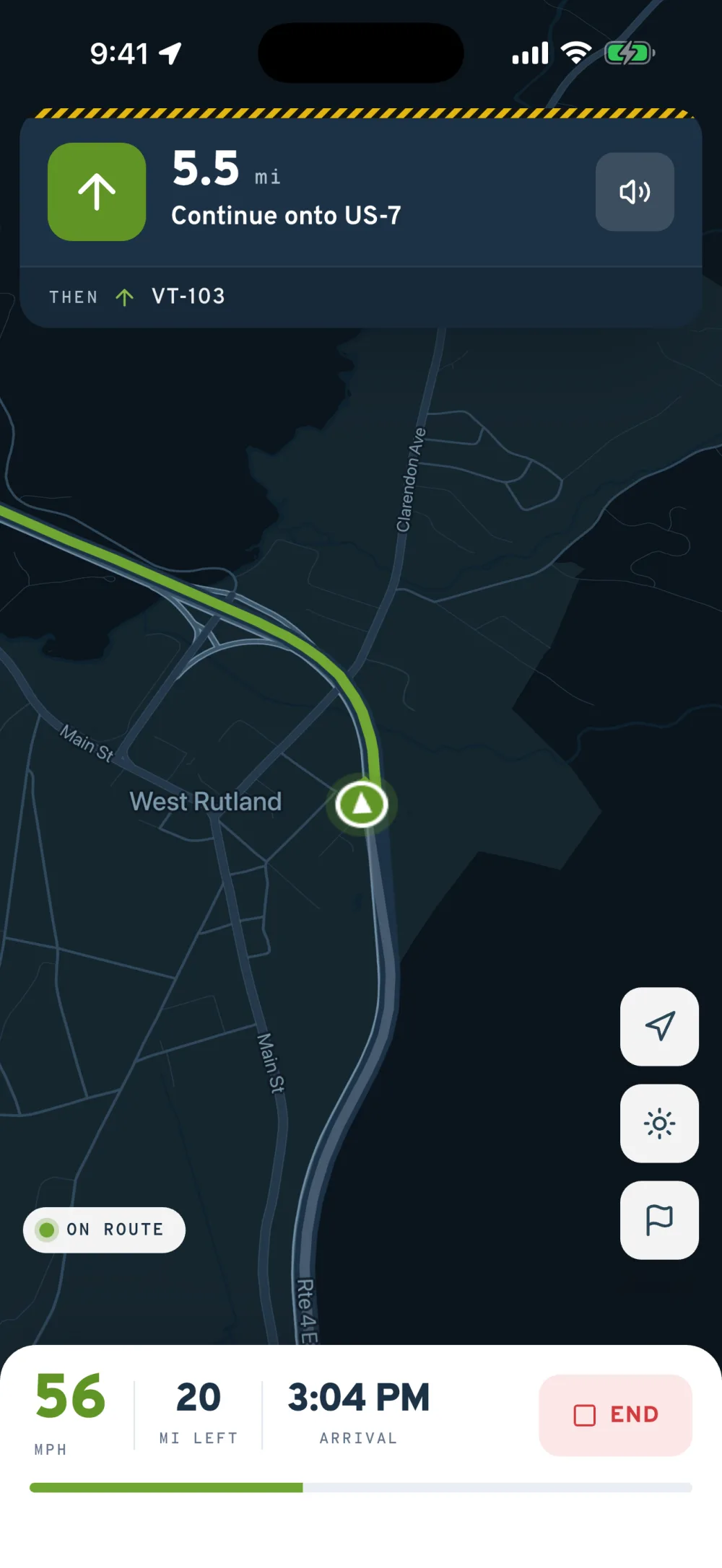
- The turn banner with a speaker button that shows whether voice is on.
- The same instruction in text, with the distance to the turn and the next road.
- A Voice guidance switch under Navigation and alerts in your profile, labeled "Spoken turn-by-turn".
Questions about voice guidance.
Can I make the voice sound better?
The app picks the highest quality English (US) voice installed on your phone. On iPhone you can add premium voices under Settings, Accessibility, Spoken Content.
Does muting stop the off-route warning?
Muting stops speech. The banner and the red off-route screen still show on the display.
Which units does the voice use?
The units in your settings. Choose miles and feet or kilometers and meters.
More from the product
Scan your next permit and drive the route it approves.
Download Route Pilot Pro on iPhone or Android, scan the QR code on your permit and start the drive.